
STEP 3: Essential Resources & Support
STEP 3: Essential Resources & Support
Keep these details handy for peace of mind and ongoing success with your Dolphin.
Risk-Free Guarantee & Warranty
30-Day Money Back Guarantee
If you are not completely satisfied, return the entire order in good condition within
30 days, and we’ll refund the purchase price.
1-Year Manufacturer’s Warranty
The device is covered for 1 year from the date of purchase against defects in
workmanship and material. The warranty is void if the CASING of the unit has been
opened, interfered with, or damaged.
Quick Links & Support
Need Extra Pads or VNS Accessories?
For reordering VNS pads or other accessories, please contact us directly or check your tracking info email for specific re-order links.
Register for Your Free Tutorial
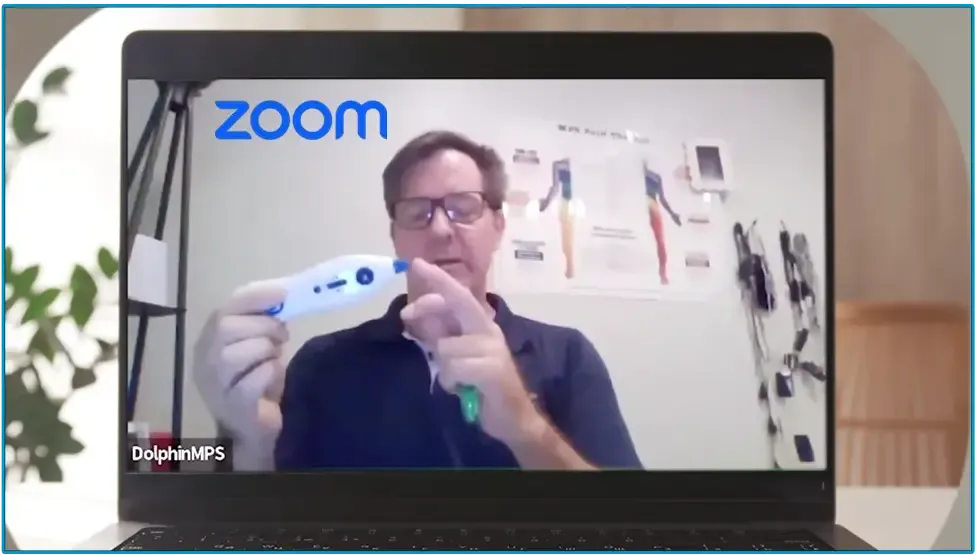
Get the fastest and most effective training in our 90-minute live Zoom class.
Secure Your Spot Now
Troubleshooting Guide
Experiencing an issue? Find immediate solutions in our comprehensive guide.
View Troubleshooting Guide
MPS Patient Referral Network
Connect with a supportive community of therapists and patients to manage your condition effectively.
Join the Referral Network
Quick Start Guide
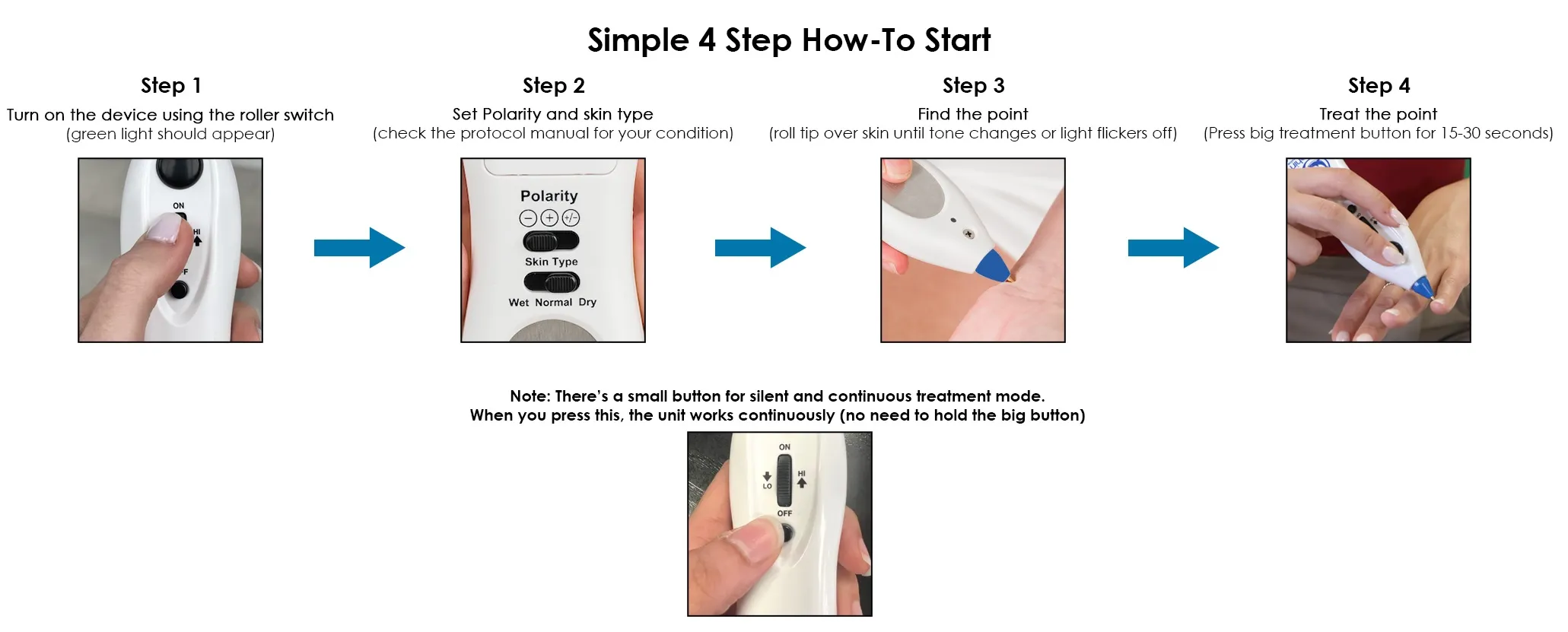
This section will guide you through setting up your device, locating treatment points, and beginning the pain-relief protocol. Start by watching the quick video below.
This section will guide you through setting up your device, locating treatment points, and beginning the pain-relief protocol. Start by watching the quick video below.
Watch the quick start video
Quick Start Guide
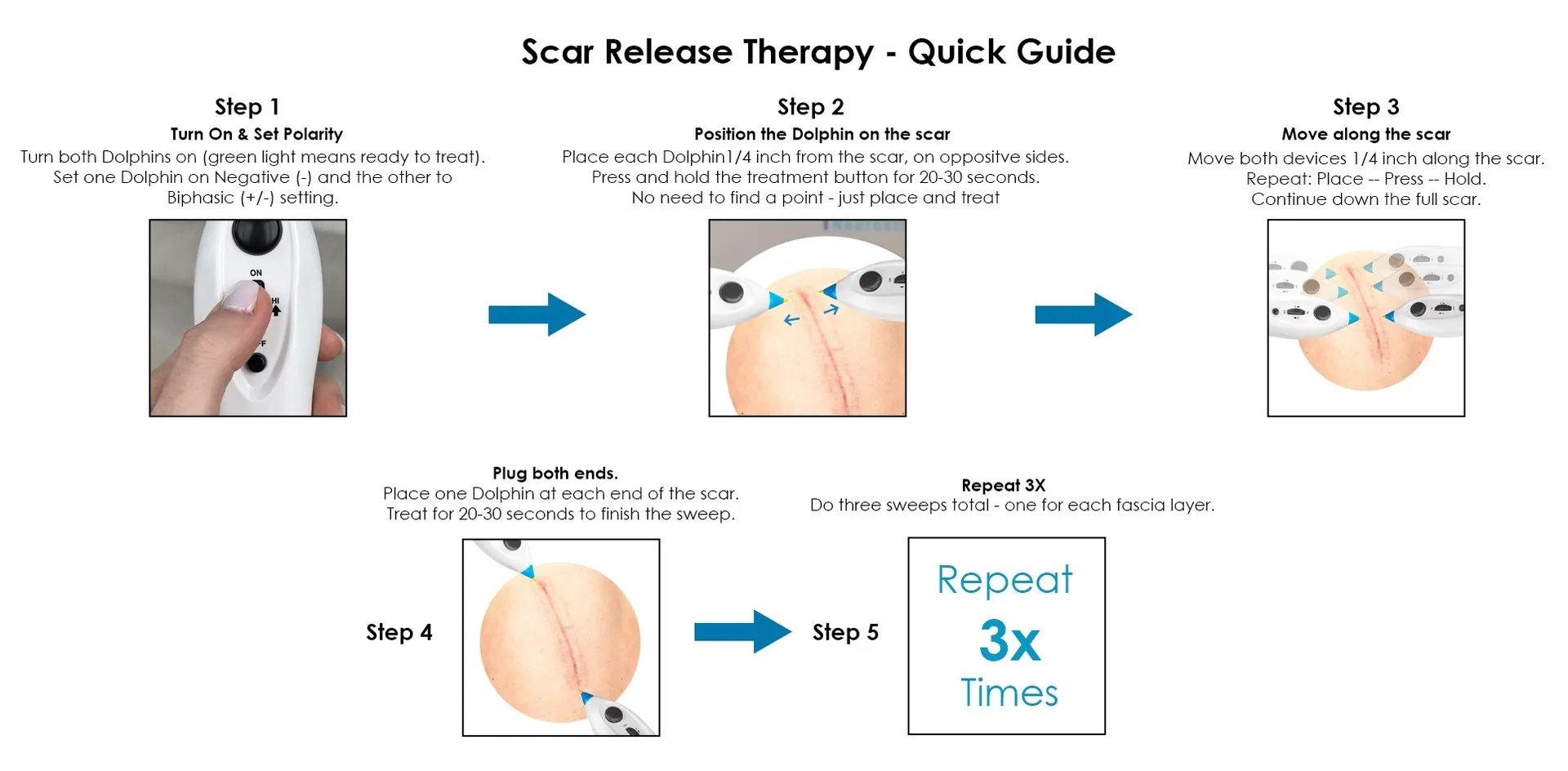
Use these exclusive resources to learn how to properly treat scars for optimal healing outcomes.
Use these exclusive resources to learn how to properly treat scars for optimal healing outcomes.
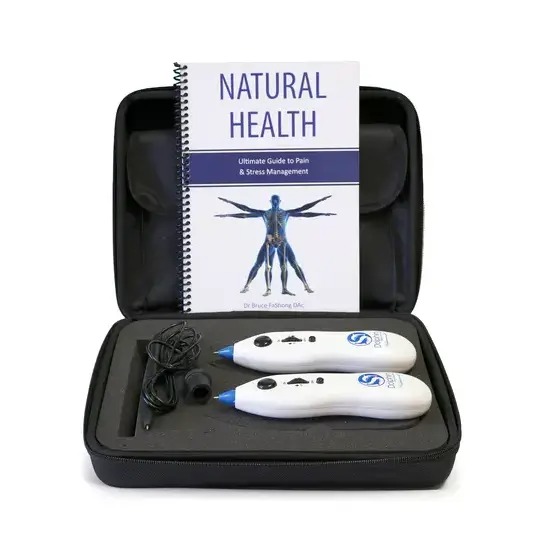
Watch the quick start video
Watch the quick start video
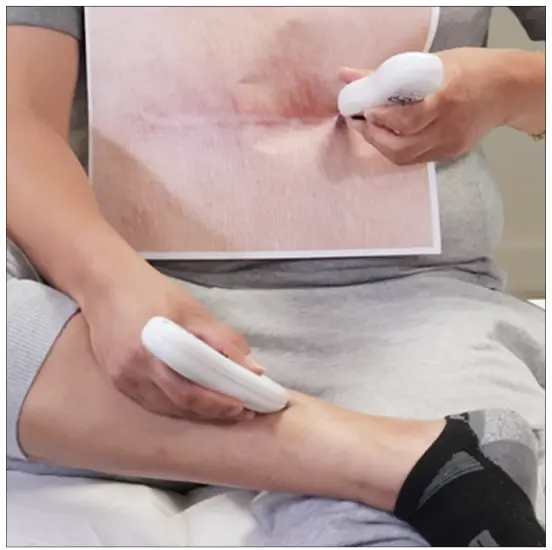
After treating the scar, we’ll do one final step to reconnect the body’s energy flow.
Step 1: Find the SP6 point — it’s 4 finger-widths above the inside ankle bone, just behind the shin bone. Place one Dolphin here on (-) polarity.
Step 2: Place the second Dolphin on a tender spot above the scar, using (+/-) polarity.
Step 3: Activate both units and hold and treat for 30 seconds.
Step 4: Now, keep the Dolphin on SP6 and move the second device along the length of the scar, treating every ¼ inch.
Repeat this process until you’ve covered the whole scar.
This step helps reconnect energy, improve circulation, and enhance overall results.
After treating the scar, we’ll do one final step to reconnect the body’s energy flow.
Step 1: Find the SP6 point — it’s 4 finger-widths above the inside ankle bone, just behind the shin bone. Place one Dolphin here on (-) polarity.
Step 2: Place the second Dolphin on a tender spot above the scar, using (+/-) polarity.
Step 3: Activate both units and hold and treat for 30 seconds.
Step 4: Now, keep the Dolphin on SP6 and move the second device along the length of the scar, treating every ¼ inch.
Repeat this process until you’ve covered the whole scar.
This step helps reconnect energy, improve circulation, and enhance overall results.

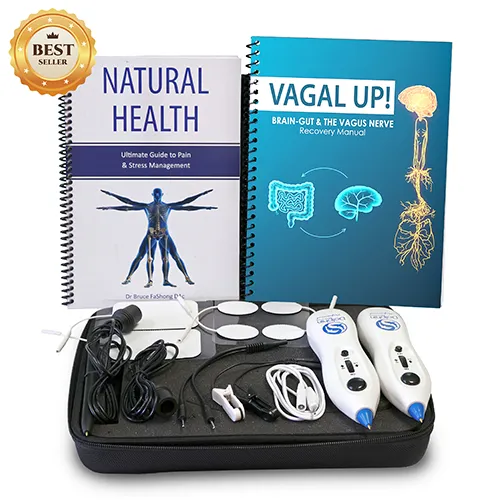
Watch the quick start video
How to use Dolphin for Pain Mangement
How to do Scar Release Therapy
How to set up Vagus Nerve Stimulation
For best results, follow the manual or join our free Zoom tutorial here
Getting Started with Dolphin
1. How do I turn on the device?
Use the roller switch on the front of the device to turn it on. You’ll hear a buzzing sound and see a green light — this means it’s on and ready to use.
2. How do I hold the Dolphin properly?
Hold it like a pen, with your thumb on the ground plate for correct grounding.
3. How do I know the device is working?
If the green light is on and you hear a buzzing sound, the device is active.
4. How do I know when I’ve found the right treatment point?
When you’re locating a treatment point, the green light will briefly turn off and the pitch will rise — that means you’ve found an active point.
5. How do I know where to treat for my pain condition?
Refer to the instruction manual that came with your kit. It includes detailed protocols that show you exactly where to treat based on your condition — including which polarity to us.
6. How do I search for a point?
To search for a point, move the probe (metal tip) slowly over the desired skin surface using sufficient pressure to maintain skin contact enough to avoid hurting, dragging on or indenting the skin. Listen for a rise in sound pitch and watch for the indicator light to flicker. When the sound reaches its highest pitch and the indicator light goes out, you have successfully located a point. Note: Never jab at the skin to locate a point. Stretching the skin around a point during location will permit greater accuracy. The pressure should never be painful when locating or applying stimulation.
7. How do I treat a point once I find it?
After locating the point (you’ll hear a high-pitched tone and see the green light flicker off), press and hold the large black button for 20–30 seconds. That completes one treatment cycle.
8. How long to stimulate a point?
The duration of treatment is not critical, at least 15 – 30 seconds. However a longer duration for treatment is quite safe if you feel that helps especially for chronic conditions. Stimulate up to a maximum 3 times a day, gradually spacing treatments as improvement occurs. You will be able to determine your own maintenance requirements in time.
9. Do I need to feel anything for it to work?
Not necessarily. Some areas (inactive points) may produce little to no sensation. Active points vary — you may feel tingling, pressure, or mild discomfort. All of these are normal and indicate stimulation is occurring.
10. Should I treat both sides of the body?
Yes — unless your condition is one-sided (e.g., one sore ankle). The manual only shows one side for simplicity, but typically you should treat both.
Device Settings & Modes
11. What is the small button for?
This button activates silent and continuous mode. Press it once (don’t hold) to keep the device treating without needing to hold down the black button.
12. Which Poliarty to use?
(-) is to Disperse and produces The benefits of ice
(+) is to Tonify and produces the benefits of heat
(+/-) is mainly use on one of the devices when performing MPS Scar Release Therapy.
The protocol manual will indicate which polarity to use depending on the protocol. Please refer to below sample. The protocol manual will indicate which polarity to use depending on the protocol. Please refer to below sample.

13. When should the green light indicator blink/ flicker?
Refer to the table below

14. Do I need 2 Dolphin devices to treat scars?
Yes 2 dolphin devices are needed to treat scars.
15. How many times should I apply scar release therapy?
The number of sessions depends on factors such as the scar’s age, size, and type. While many patients notice improvements after just one session, achieving optimal results typically requires 3 to 6 sessions initially. Scars develop over 2-3 years after surgery, so older scars may need 4-5 treatments, while newer scars often respond in fewer sessions. The best results are achieved when treatment is applied more frequently at the beginning and on a maintenance basis according to the patients lifestyle and health factors.
16. What kind of battery to use?
- Use 9V alkaline battery. We recommend Duracell , Panasonic and Energizer.
- If you prefer using rechargeable battery, you can use 9V lithium ion rechargeable battery. Preferably they don’t drop in voltage during use.